Websites · Agencies
Design Agency Website Template
A dark, minimal one-page website for a design and engineering studio. Lead with a big quiet headline, show the teams you work with and the tools you sell, offer a free site check, and take project briefs on the same page.
- Type
- Website
- Sections
- 10
- Works on
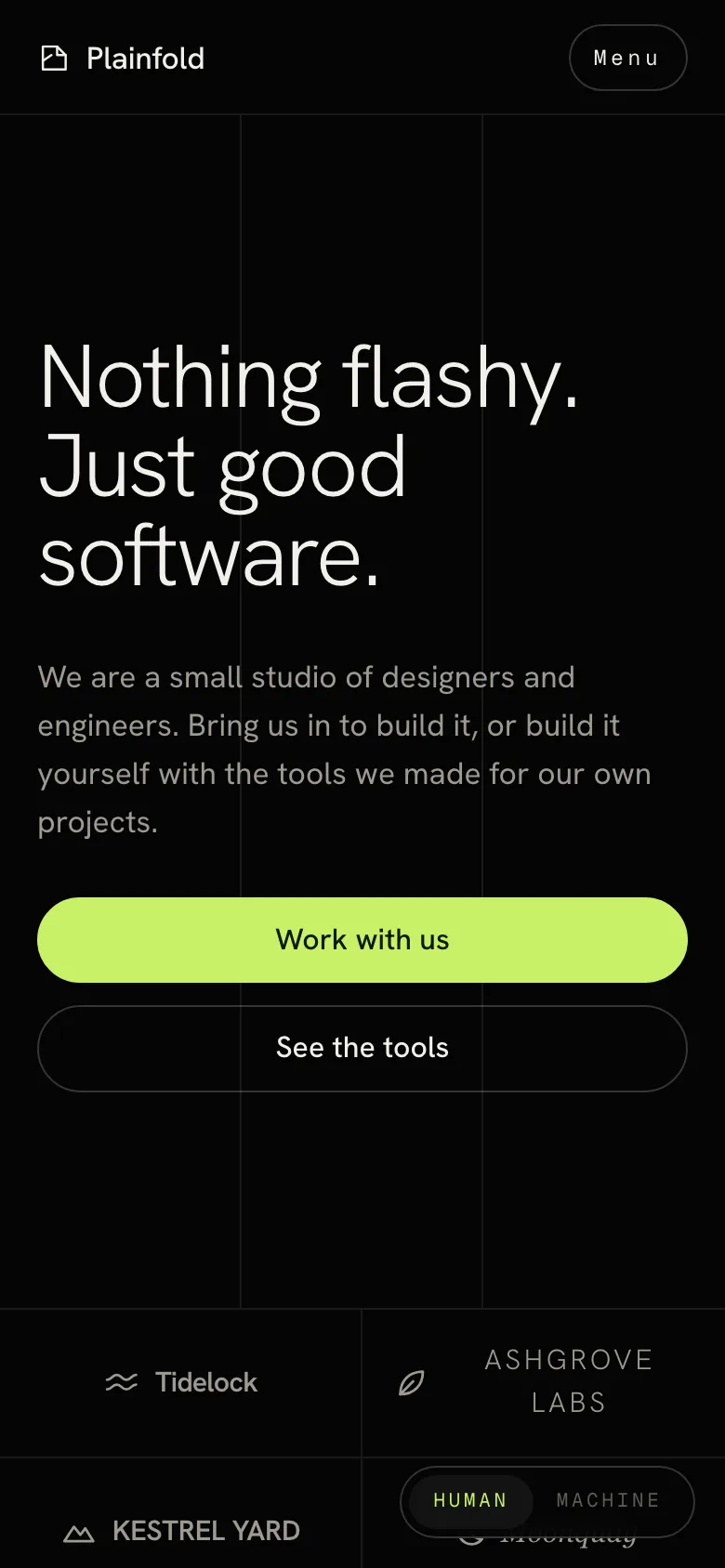
- Desktop and phone
- Fonts
- Hanken Grotesk, Geist Mono and Silkscreen
What is in the design agency template
10 sections on one page, in this order.
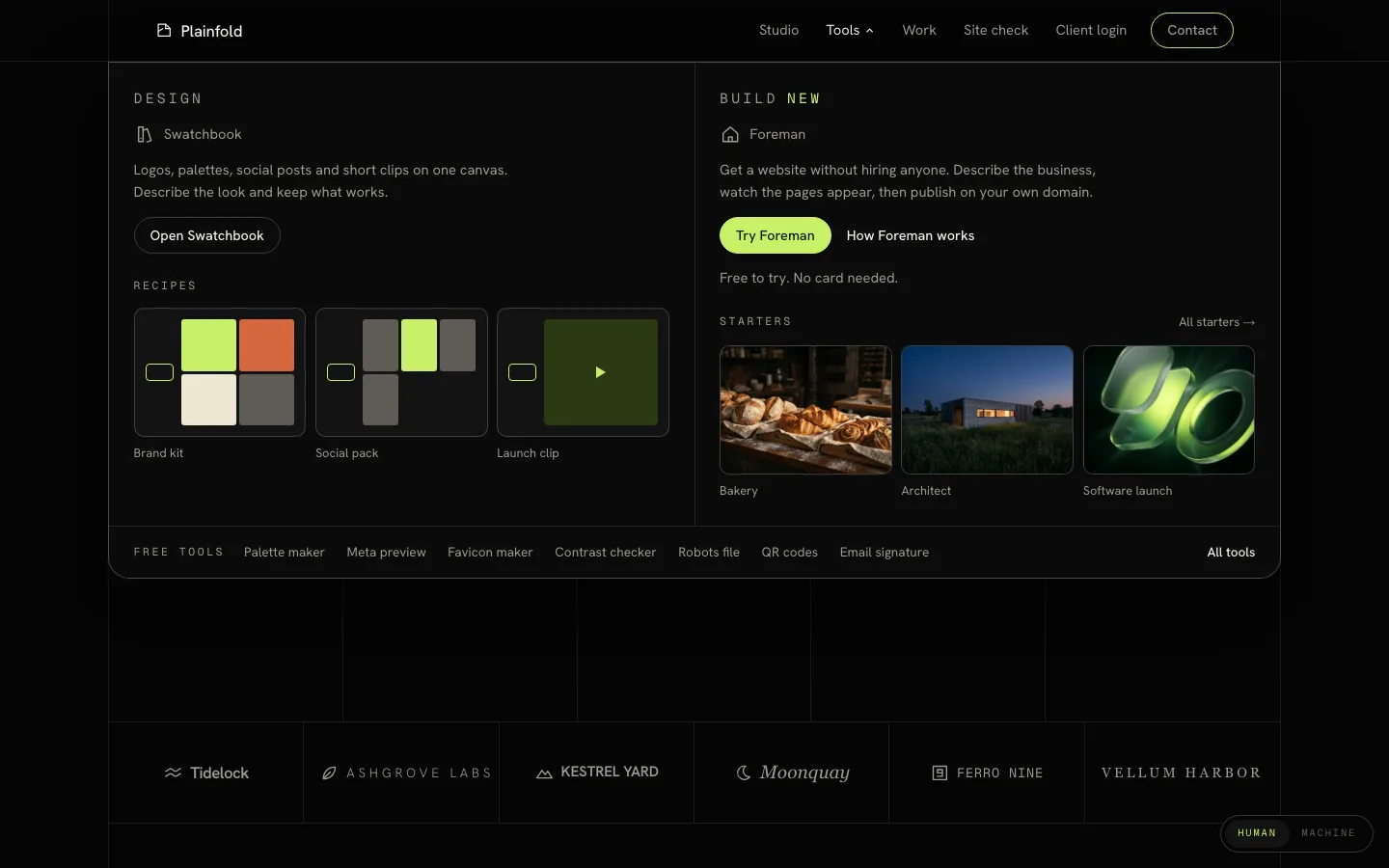
- HeaderA sticky navigation bar with a Tools menu that opens two featured tools, recipe and starter tiles, and a row of free tools.
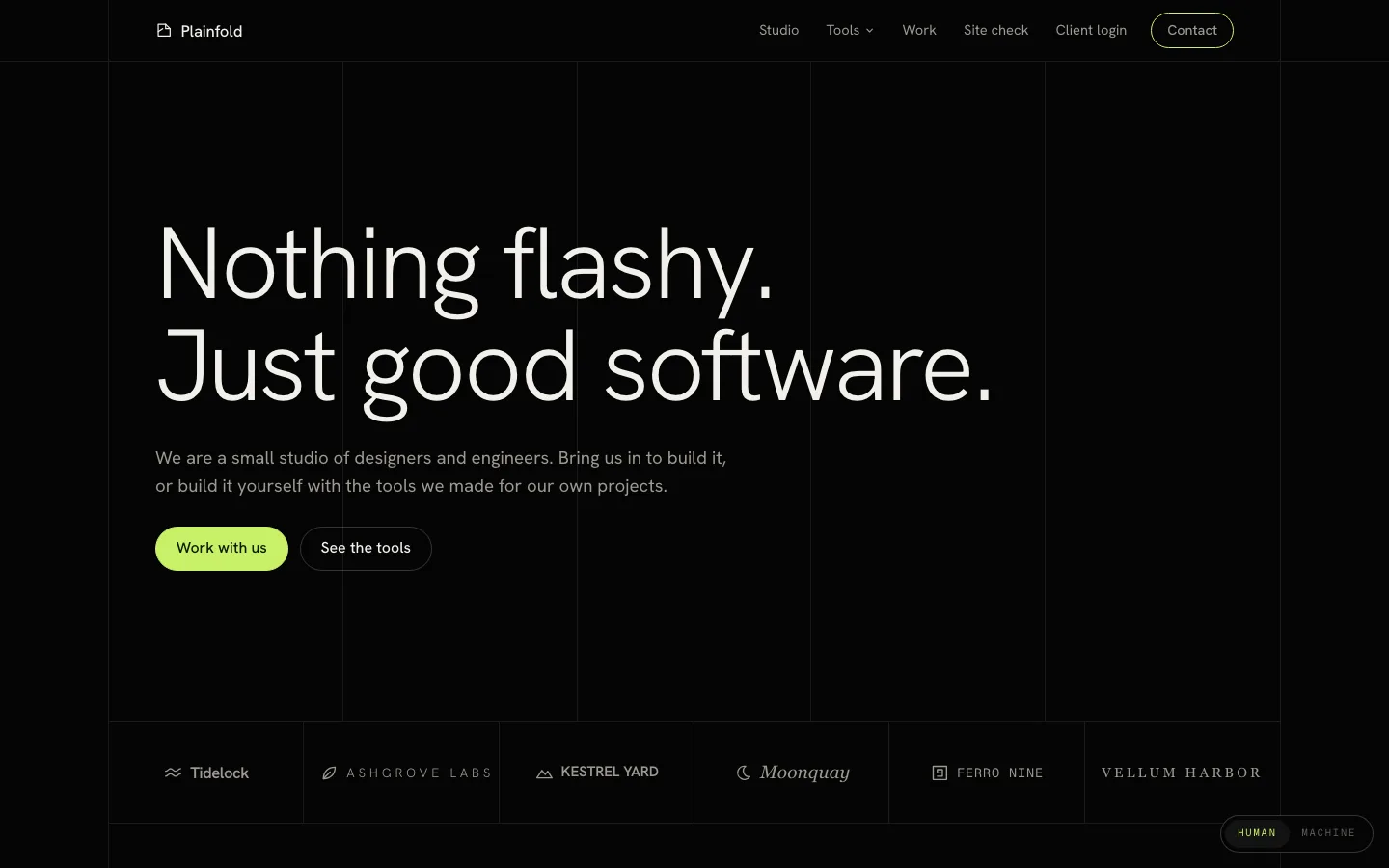
- HeroA large light headline over thin vertical lines that light up one by one, with two buttons.
- Client wordmarksSix client names, each drawn in its own type style with a simple mark.
- Studio toolsTwo product cards with an image, a mock screen drawn on top, a short pitch, a price and a button.
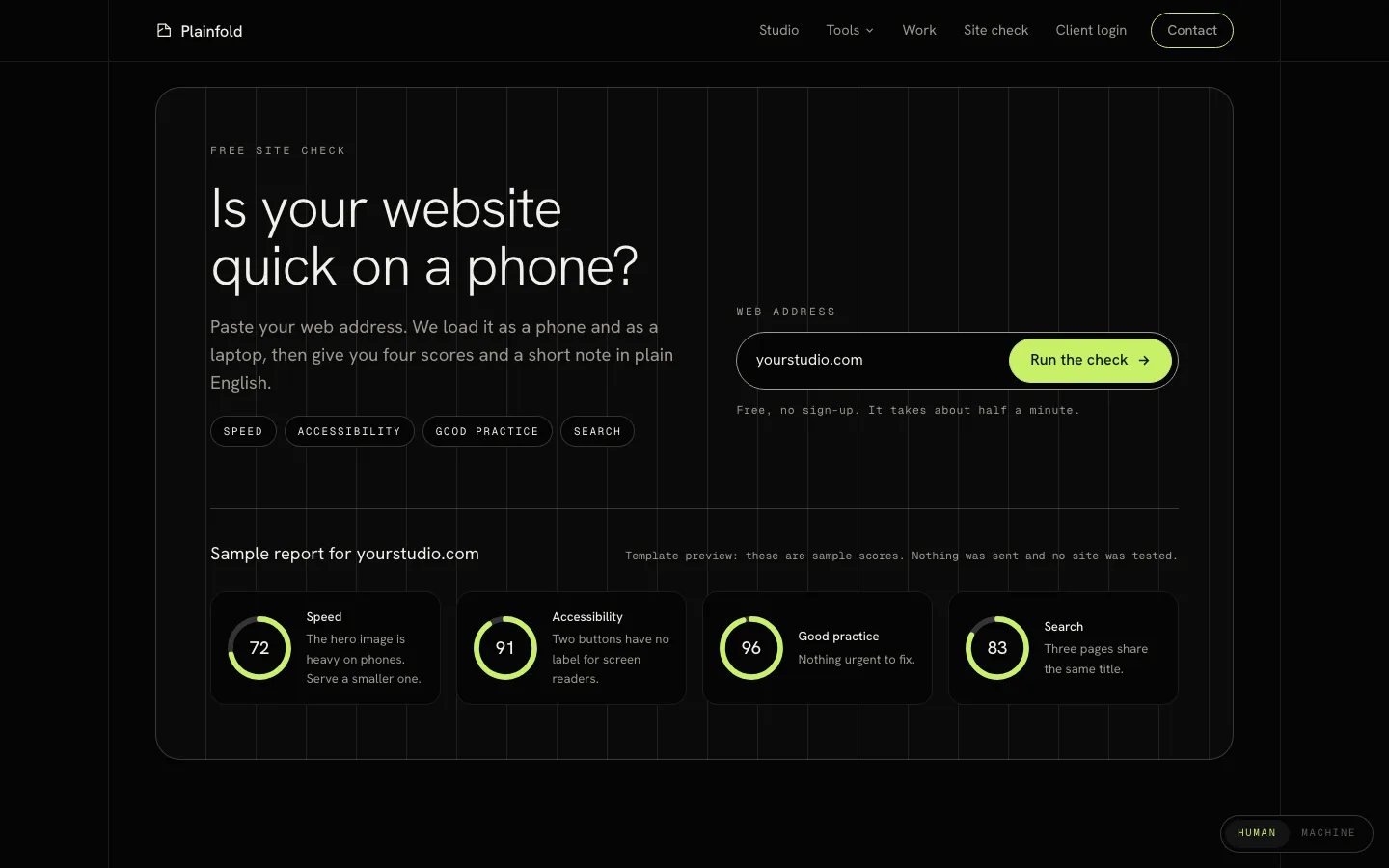
- Free site checkA web address form with four score categories, which shows a sample report with animated score rings.
- StudioWhat it costs to hire the studio, with a button that opens the project brief.
- WorkThree project cards with a category, an image and a small status chip.
- Call to actionA bright band with a grid pattern, a headline and a Start a project button.
- FooterFour link columns, simple social icons and the legal links.
- Machine viewA plain-text version of the page in a pixel font, switched on from the Human / Machine toggle.
A menu that opens, a check that scores
- The Tools menu opens from the header, closes with Escape or a click outside, and folds into a simple menu on phones.
- The site check validates the address, then fills four score rings with sample results and says that nothing was tested.
- Every Contact, Book an intro call and Start a project button opens a short project brief that checks the fields and shows an inline confirmation.
- The Human / Machine toggle switches the page to a plain-text index of its content, and each link there jumps back to that section.
- The hero lines and section reveals stop for people who prefer reduced motion.
Who it is for
- Design and engineering studios
- Product design agencies
- Web design studios
- Dev shops with their own products
- Fractional design teams
- Freelance designers and developers
Make it yours with your AI
Connect Claude, Codex or Gemini to Beepflow, then describe the changes. All the content sits in one config block at the top of the page, so your AI changes text, images and data without touching the layout. It builds the page in your Beepflow space, and Beepflow hosts it.
- Prompt 1
“Build my studio site from beepflow.com/templates/design-agency/preview for Northlight, a two-person product design studio. Keep the layout and rewrite the clients, projects and prices.”
- Prompt 2
“Replace the two studio tools with our UX audit service and our design system starter kit, and drop the site check.”
- Prompt 3
“Connect the project brief form to a workflow that saves each lead and emails me the brief.”
Questions
Does the site check test real websites?
No. The live preview shows the same sample scores for every address and sends nothing. In your own Beepflow space, you can ask your AI to replace it with a form that does something real, or remove it.
Can it take real project briefs?
The live preview does not send or store anything. In your own Beepflow space, ask your AI to connect the brief form to a workflow, for example one that saves each lead and emails you the brief. Webhook calls are unlimited on every plan, including Free.
Are the clients, tools and prices real?
No. Plainfold, its clients, its tools, its projects and every price in the preview are made up for the template. Replace them with your own before you publish.
How do I change the copy, clients and images?
Everything lives in one config block at the top of the page: studio name, copy, clients, tools, projects, prices, images and the brief options. Edit it yourself or ask your AI. You can also leave notes on the page in Beepflow and ask your assistant to work through them.
Can I put it on my own domain?
Yes. Pages publish on your own domain, and custom domains are included from the Starter plan. See pricing for details.
Is it free?
Starting on Beepflow is free: the Free plan needs no card, and page views are unlimited on every plan.