Websites · Ecommerce
Product Launch Landing Page Template
A bold landing page for launching a physical product. Lead with a lifestyle hero and a giant wordmark, tell the story feature by feature, let visitors pick a colour and take pre-orders and sign-ups on the same page.
- Type
- Landing page
- Sections
- 9
- Works on
- Desktop and phone
- Fonts
- Bricolage Grotesque and Inter
What is in the product launch template
9 sections on one page, in this order.
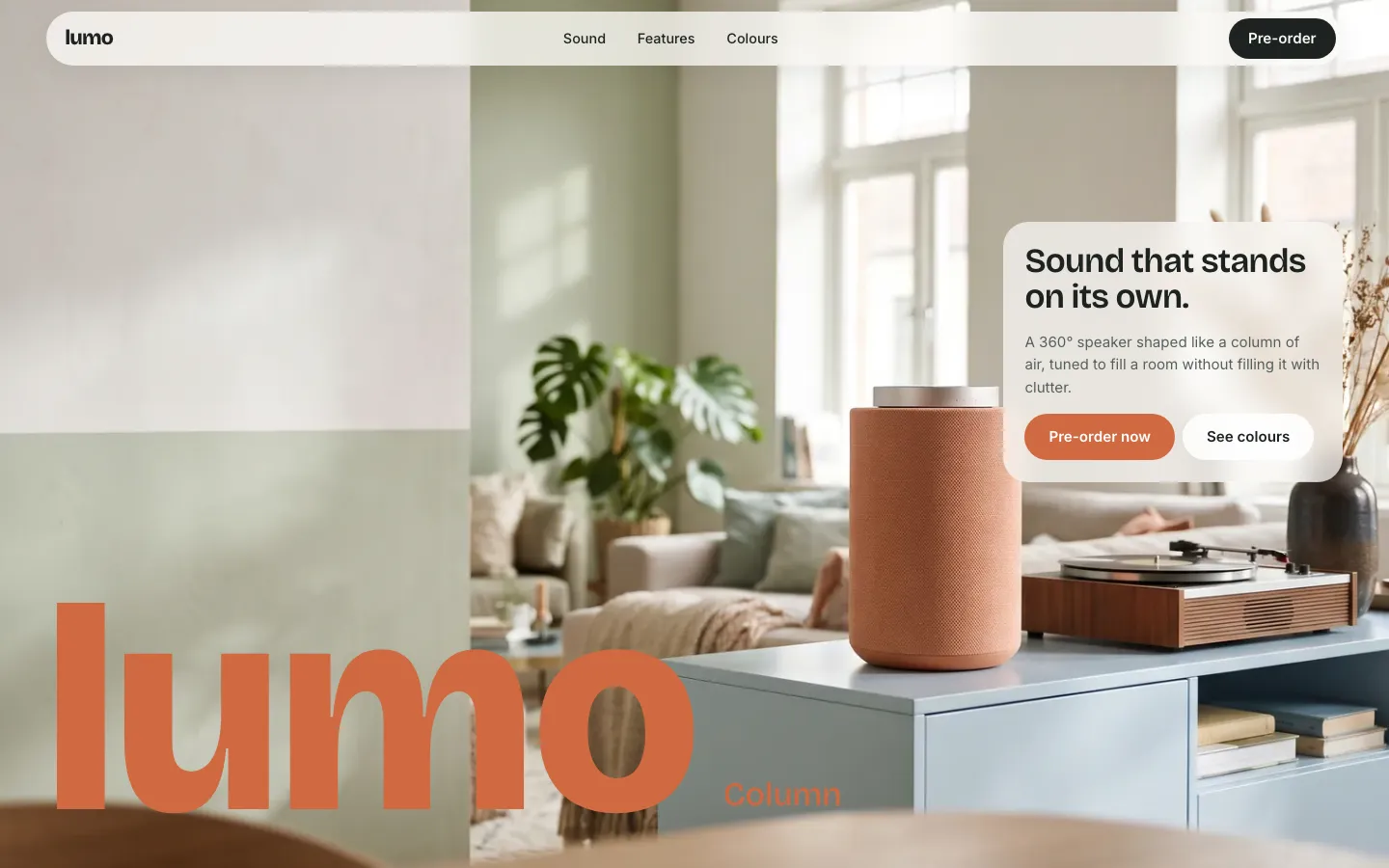
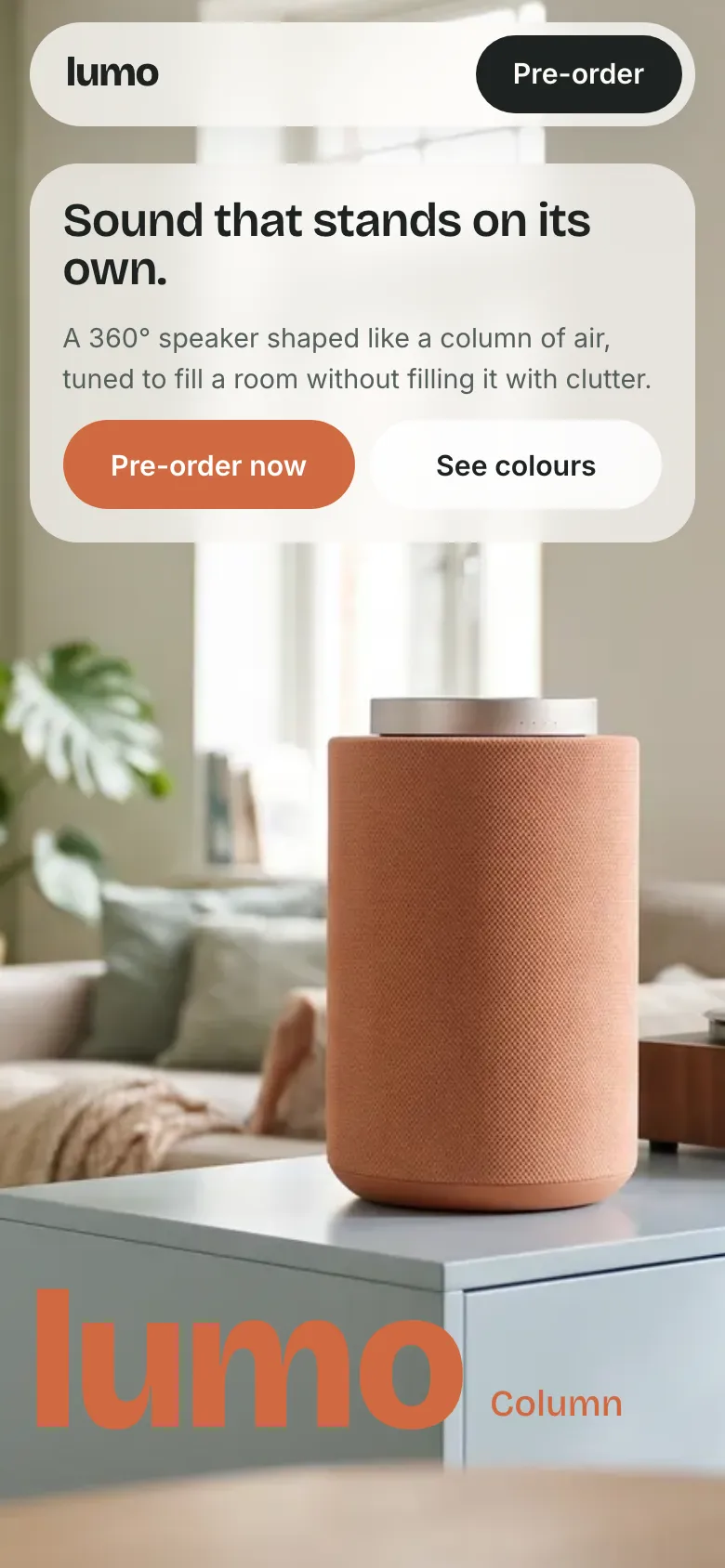
- HeroLifestyle photo, a giant wordmark and a floating tagline card with two buttons.
- StatementA large brand statement that fades in word by word.
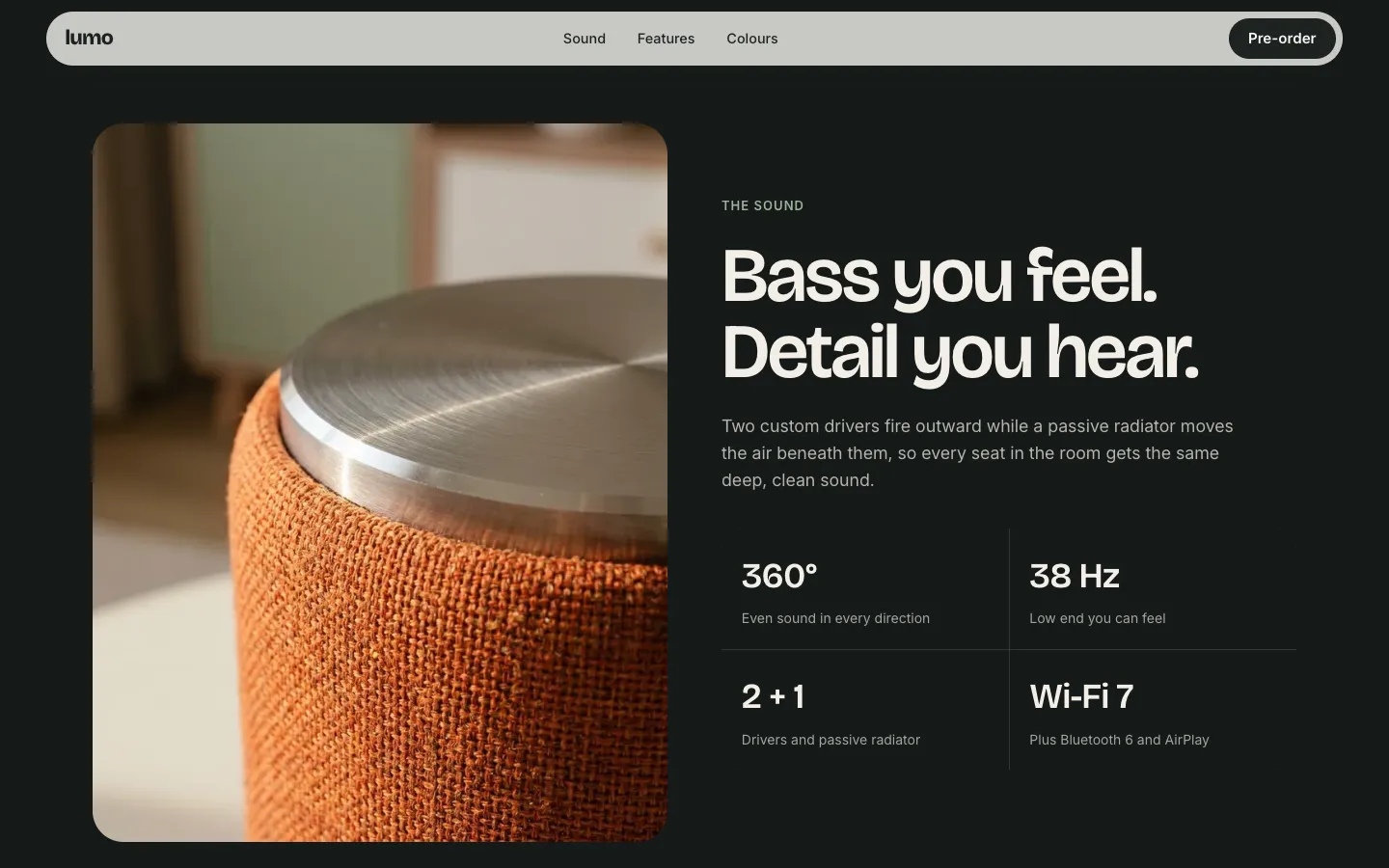
- Sound and specsA dark section with a close-up photo and four headline specs.
- FeaturesThree image cards for the main features.
- PrinciplesThree oversized words with a line of copy each.
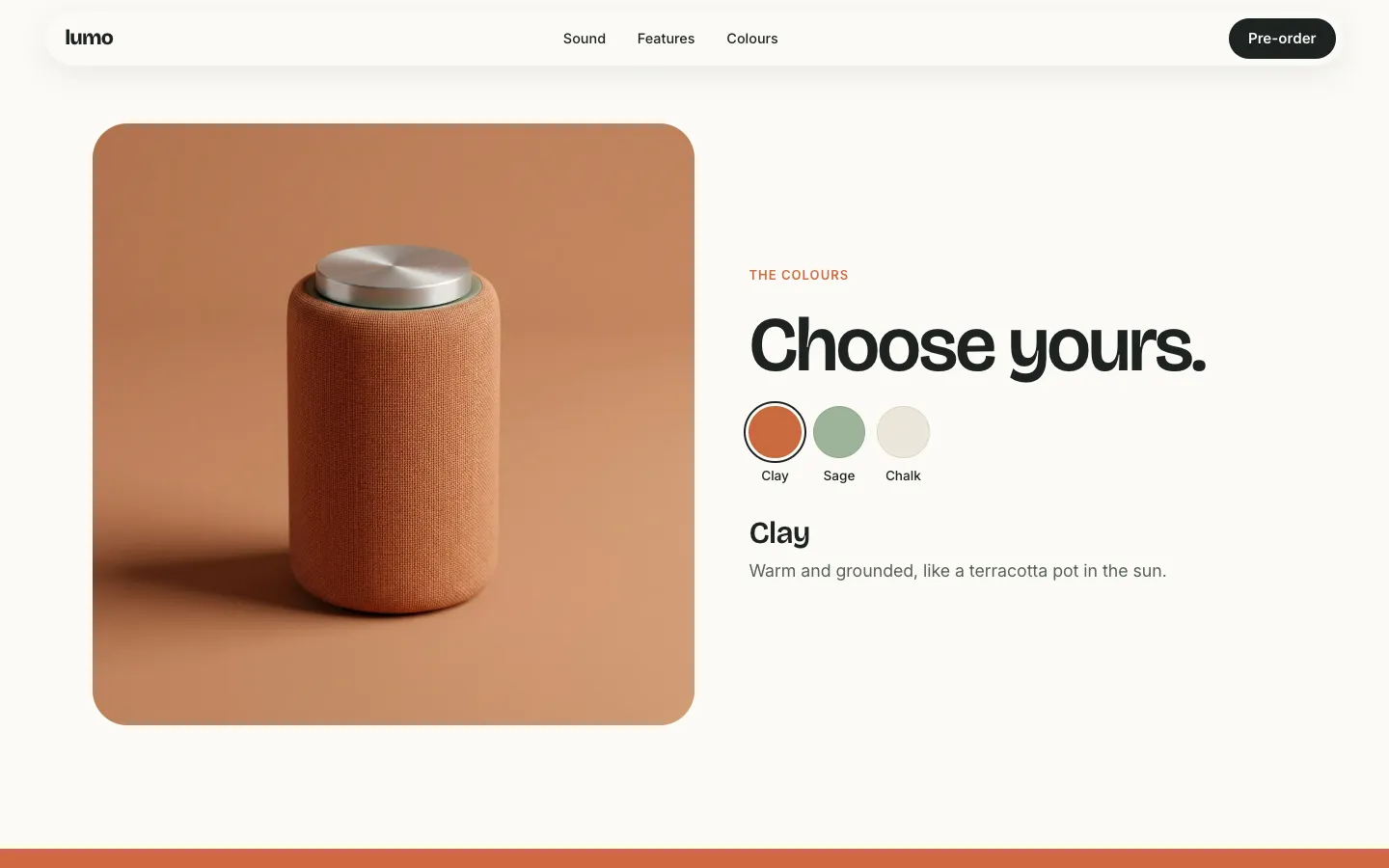
- Colour pickerSwatches that swap the product photo, name and description.
- Pre-orderPrice, colour, quantity and email in one card.
- NewsletterA one-field sign-up with an inline confirmation.
- FooterCopyright and legal links.
Pick a colour, reserve it
- Choosing a swatch crossfades the product photo and updates the colour name and description.
- The pre-order card follows the chosen colour, so visitors reserve what they just picked.
- The pre-order and newsletter forms check the email and show an inline confirmation.
- The hero photo moves gently as visitors scroll, and stays still for people who prefer reduced motion.
Who it is for
- Hardware and gadget launches
- Direct-to-consumer brands
- Crowdfunding and pre-order campaigns
- Home and design products
- Limited drops
- Shopify brands launching a hero product
Make it yours with your AI
Connect Claude, Codex or Gemini to Beepflow, then describe the changes. All the content sits in one config block at the top of the page, so your AI changes text, photos and data without touching the layout. It builds the page in your Beepflow space, and Beepflow hosts it.
- Prompt 1
“Build my launch page from beepflow.com/templates/product-launch/preview for Fieldnote, a solar-powered lamp. Keep the layout and rewrite the copy and specs.”
- Prompt 2
“Change the colours to Moss, Sand and Ink, and set the price to €189 shipping in March.”
- Prompt 3
“Connect the pre-order form to a workflow that saves each reservation and emails the customer a confirmation.”
Questions
Can it take real pre-orders?
The live preview does not send or charge anything. In your own Beepflow space, ask your AI to connect the pre-order and newsletter forms to workflows, for example one that saves each reservation and emails a confirmation. Webhook calls are unlimited on every plan, including Free.
How do I change the product, specs and colours?
Everything lives in one config block at the top of the page: brand, product name, copy, specs, features, colours, price and photos. Edit it yourself or ask your AI. You can also leave notes on the page in Beepflow and ask your assistant to work through them.
Can I put it on my own domain?
Yes. Pages publish on your own domain, and custom domains are included from the Starter plan. See pricing for details.
Is it free?
Starting on Beepflow is free: the Free plan needs no card, and page views are unlimited on every plan.